Table of Contents
ToggleA secure account routine does not stop when you finish using the platform. The Reddybook Logout process helps end your active session and keeps your account access more controlled. This is especially important when you use a shared computer, public device, or someone else’s phone.
In this Reddybook Logout Guide, we explain how to log out from Reddybook, how logout works on mobile and desktop, and what you can do to improve your Reddybook account security. We also cover common logout mistakes, account protection tips, and what to do if you forget to sign out.
What Is Reddybook Logout?
Reddybook Logout means signing out of your active Reddybook account session. When you select the logout option, you end your current account session instead of leaving your account open on the device.
A proper Reddybook Account Logout is different from simply closing a browser tab. Closing a page does not always provide the same account protection as using the platform’s dedicated Logout or Sign Out option.
If you use Reddybook from a shared computer or public device, always log out before leaving. This simple habit helps protect your Reddybook user account, account information, wallet details, and other private data.
How to Logout from Reddybook
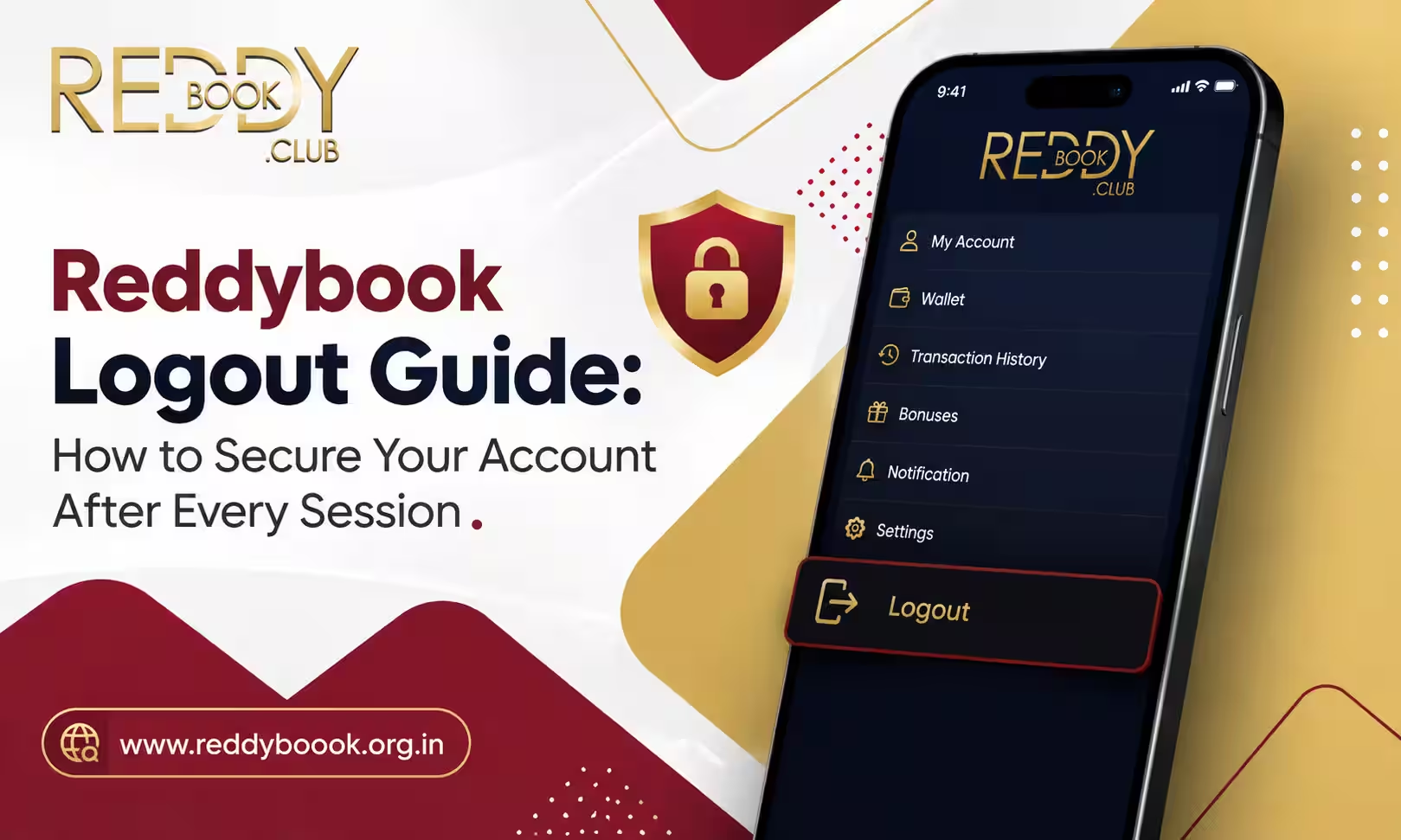
The Reddybook Logout Process is simple. The account interface can differ between devices, but these general steps explain how to logout from Reddybook.
Step 1: Open Your Reddybook Account
Open the Reddybook platform and sign in using your account details. Complete your account activity before starting the logout process.
Need help with account access? Our “Reddybook Login Guide“ explains the complete login process, account access steps, and ID setup in detail.
Step 2: Open Your Account Menu
Look for your profile icon, username, or account menu. This area contains account controls and other options related to your Reddybook Account Access.
Step 3: Select the Logout Option
Find the Reddybook Logout Button, Logout, or Sign Out option. Select it and wait for the platform to complete the logout process.
Step 4: Confirm Your Account Is Logged Out
After signing out, check that your account dashboard is no longer active. Returning to the Reddybook Login page can confirm that you need to enter your login details again to access the account.
Why Should You Logout from Your Reddybook Account?
Protect Your Account Access
An open account session can create a risk if another person can use your device. A proper logout ends the active session and helps protect your Reddybook Secure Account access.
Reduce Session Risks
Active browser sessions can keep account information available on a device. Using Reddybook Secure Logout after each session reduces unnecessary exposure.
Protect Account and Wallet Information
Your account can contain personal information, balance details, transaction records, and wallet activity. Regular logout supports better Reddybook Wallet Security and account privacy.
Stay Safer on Shared Devices
Shared computers and public devices require extra care. Always complete the Reddybook Sign Out Process before leaving a device that other people can access.
Reddybook Logout on Mobile Devices
Mobile users can access their accounts through a browser or supported application. The exact interface can vary, but the basic Reddybook Mobile Account Security process remains similar.
How to Logout on a Mobile Browser
Open your account or profile menu and locate the Logout or Sign Out option. Tap it and wait for the session to close.
Do not depend only on closing the mobile browser. Use the dedicated Reddybook Logout option whenever it is available.
How to Logout on a Mobile App
If you use a supported Reddybook mobile app, open the profile or account section. Select the logout option and wait for the session to end.
After logging out, use your phone’s screen lock and avoid leaving your device unlocked. These simple Reddybook Account Security habits add another layer of protection.
Reddybook Logout on Desktop
Desktop users can follow the same basic Reddybook Logout Process. Open the profile or account menu, select Logout, and wait until the active session ends.
If you use a shared or public computer, take a few extra steps. Do not save your login details in the browser. After logging out, close the browser window and make sure your account no longer appears as an active session.
These steps are particularly useful for protecting your Reddybook Browser Session and account credentials.
What to Do After Reddybook Logout
Logging out should become part of your normal account security routine.
Close the Browser or App
Once you complete the Reddybook Account Logout, close the browser or app if you have finished using the platform. This provides an additional privacy step.
Avoid Saving Login Details on Shared Devices
Never save your Reddybook username or password on a public or shared computer. Browser autofill can expose your Reddybook Login Security if another person uses the same device.
Check Account Activity
Regularly review your account activity and transaction history. If you notice an unfamiliar action, investigate it quickly and secure your account.
Keep Login Details Private
Keep your password, OTPs, and other account credentials private. Never provide sensitive login information to unknown people claiming to offer account assistance.
Common Reddybook Logout Mistakes to Avoid
Even a simple logout routine can fail when users skip important steps. Avoid these common Reddybook Logout mistakes:
- Closing the browser without using the logout option.
- Leaving an active Reddybook session on a shared device.
- Saving login details on a public computer.
- Sharing account credentials with another person.
- Ignoring unfamiliar account activity.
- Using the same password across several accounts.
- Leaving your phone or computer unlocked after use.
- Forgetting to check that the session has actually ended.
A few extra seconds can help you maintain better Reddybook Account Protection.
What If You Forgot to Logout from Reddybook?
If you forgot to log out, take action as soon as you can. If you still have access to the device, return to your account and complete the normal Reddybook Logout Process.
If you used a shared device and believe someone could access your account, review your account activity and consider updating your password. Use a unique password that you do not use for other services.
If you notice suspicious activity or cannot secure your account, contact Reddybook Support through the platform’s available official support channels. Never share your password, OTP, or other sensitive credentials with an unknown person.
Reddybook Account Security Tips
Use a Strong Password
Create a unique password with a combination of letters, numbers, and symbols. Avoid easy-to-guess information such as your name or birthday.
Keep Your Login Details Private
Your Reddybook Account Credentials should stay private. Do not send passwords or OTPs through messages, social media, or other unofficial channels.
Use Trusted Devices
Access your account from devices that you control and keep them protected with a screen lock, PIN, or password.
Check Account Activity Regularly
Review recent transactions and account activity. Quick checks can help you identify unfamiliar actions early.
Keep Your Device Updated
Keep your operating system, browser, and security software updated. Current software can provide important security fixes.
Logout After Every Session
Make Reddybook Secure Logout part of your daily routine. Always sign out after finishing your account activity, especially on shared devices.
Reddybook Logout vs Closing the Browser
Logging out and closing a browser are two different actions. Understanding the difference can help you follow better Reddybook Account Security practices.
Action | What It Does | Best Practice |
Reddybook Logout | Ends the active account session | Always use it |
Close Browser | Closes the browser window or tab | Do this after logout |
Lock Device | Restricts immediate device access | Use on personal devices |
Clear Browser Data | Removes selected stored browser information | Useful for shared devices |
The safest routine is simple: logout first, then close the browser or app.
Frequently Asked Questions About Reddybook Logout
Q. How do I logout from Reddybook?
Ans: Open your account or profile menu, select the Reddybook Logout or Sign Out option, and wait until the active session ends.
Q. Where can I find the Reddybook Logout button?
Ans: The Reddybook Logout Button is generally available through the profile, account, or user menu. The exact position can change based on the device and current platform interface.
Q. Is closing the browser enough to logout?
Ans: It is better to use the dedicated Reddybook Logout option first. After the session ends, you can close the browser or app.
Q. What should I do if I forgot to logout?
Ans: Return to the device and log out if possible. If you suspect someone accessed your account, review your activity, secure your login credentials, and contact support when necessary.
Q. Can I logout from Reddybook on mobile?
Ans: Yes. Open the account or profile menu on your mobile browser or supported app and select the available Sign Out or Logout option.
Q. What should I do if I see suspicious account activity?
Ans: Check your recent account and transaction activity, secure your account credentials, and contact Reddybook Customer Support the appropriate official support channel if you need help.
Summary
Keeping your Reddybook account secure starts with a simple logout habit. When you finish using your account, the Reddybook Logout process helps you end your session, especially when you use a shared or public device.
For better security, follow the Reddybook Sign Out Process, keep your password safe, and check your account activity from time to time. Also, avoid saving login details on shared devices.
With the Reddybook App or website, we encourage simple security steps. Log out after use and take better control of your account access.